Hands-on experiments

What we actually tried — including the parts that failed.

BotBuild Notes uses AI-assisted tools for drafting, coding and debugging, but the examples on this page come from practical experiments: server commands, deployment bundles, historical market-data checks, chart work, logs, state databases and small-scale execution tests.

Editorial disclosure: AI is used as a development and writing assistant on this project. The screenshots below are from real working sessions and have been cropped or redacted to remove local usernames, account details and other unnecessary private information. They are shown to document the engineering process — not to prove profitability.

VPS workSSH, SCP, remote bundles and service debugging
Data checksHistorical 5-minute data collected in separate windows
Bot auditsDeployment packages, reports and operational status files
Execution testsTiny-size tests used to observe real broker behavior
Real project artifacts

Screenshots from the build and debugging process

These are not stock images. They are selected from the same bot-building work that produced the guides on this site.

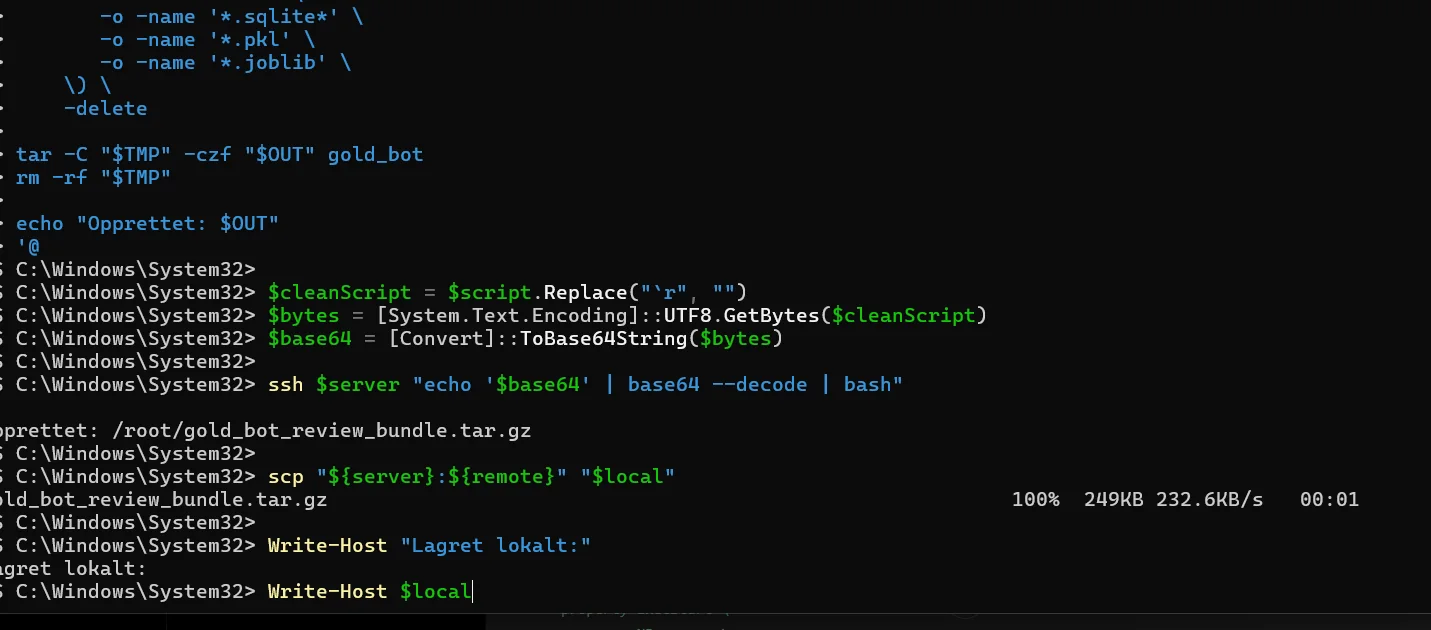
PowerShell terminal showing SSH and SCP work for a bot review bundle
VPS / PowerShell

Packaging a bot review bundle and moving it over SSH/SCP

A remote review bundle is created, transferred and downloaded for inspection. This is the kind of routine work behind a reliable VPS deployment: collect evidence first, then change code.

Practical lesson: make backups and review bundles before touching a live service.
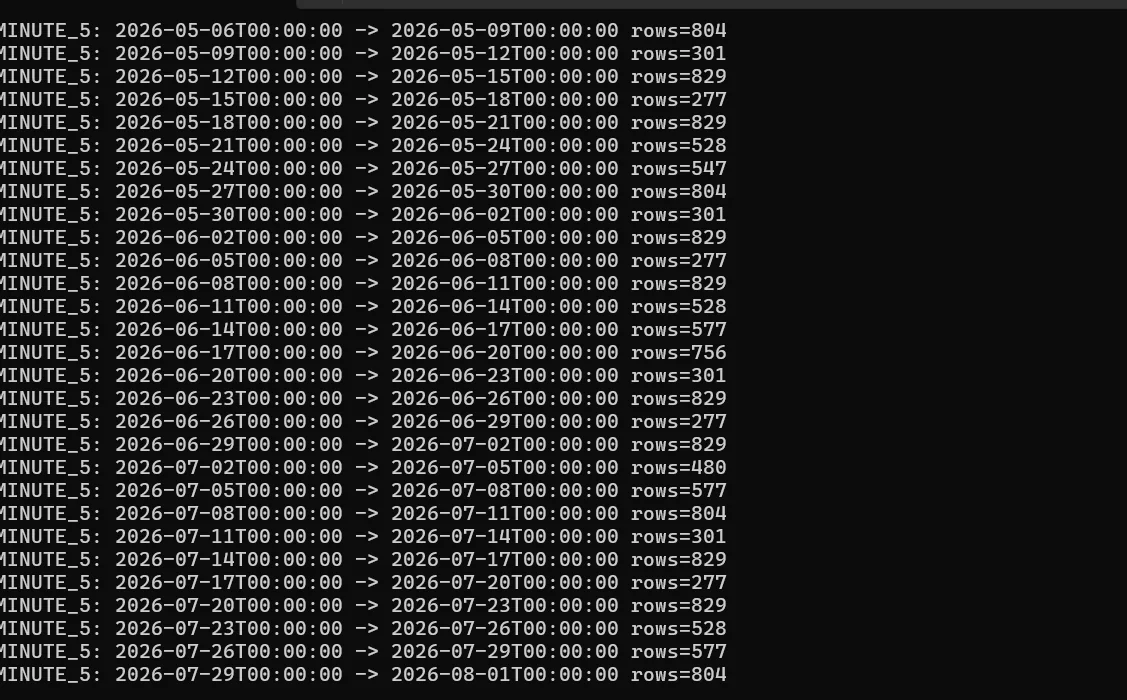
Terminal output showing historical five-minute data periods and row counts
Data quality

Checking historical M5 data instead of assuming it is complete

The data collection job was split into date windows and the returned row count was checked for each period. Missing or uneven data can make a backtest look better or worse than reality.

Practical lesson: verify the data before optimizing the strategy.
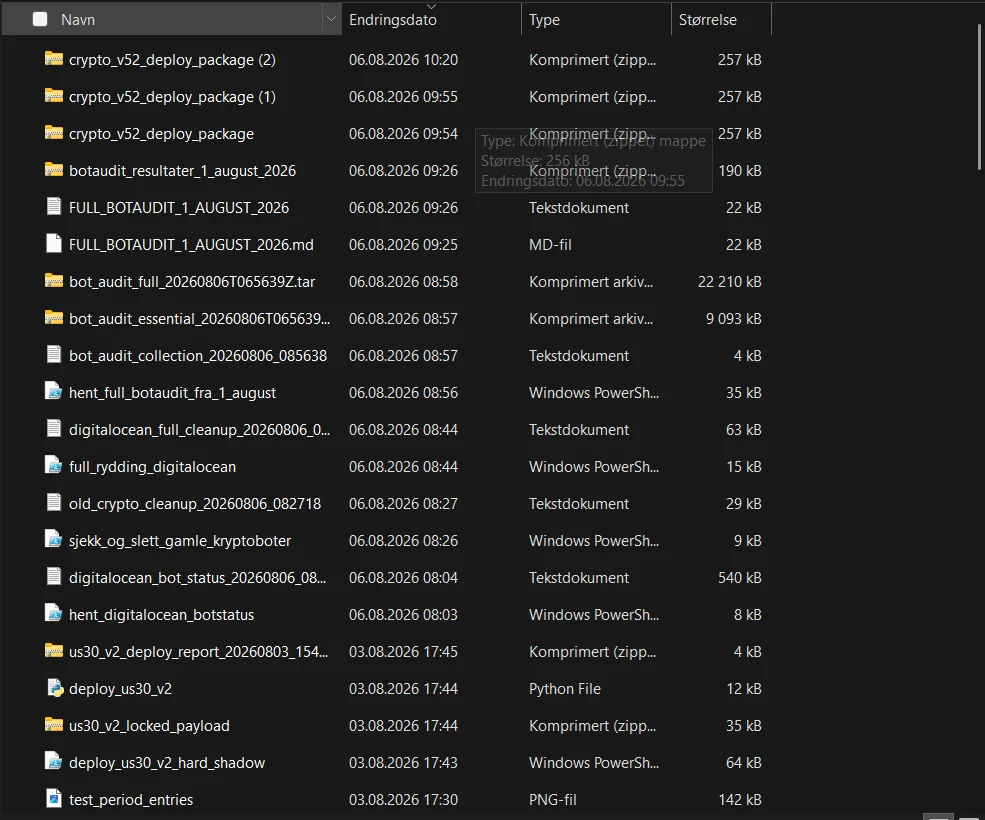
File list containing bot deployment packages, audit reports and DigitalOcean status artifacts
Audit trail

Deployment packages, bot audits and server-status artifacts

Bot work quickly creates many moving parts: deploy packages, audit outputs, PowerShell helpers, server cleanup records and status captures. Keeping them organized makes regression debugging possible.

Local username and navigation details were cropped before publication.
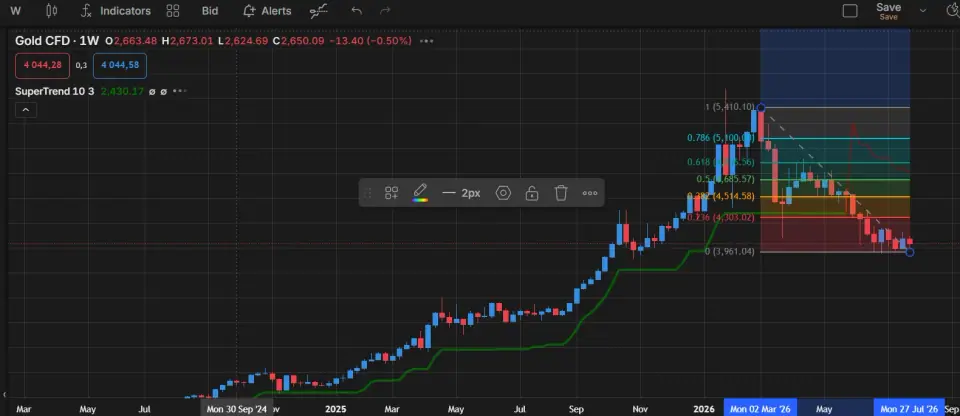
Gold CFD chart with SuperTrend and Fibonacci analysis
Chart analysis

Manual chart work before automation

Indicators and levels were inspected manually before translating ideas into deterministic rules. A chart concept that looks obvious to a person still needs exact entry, exit and invalidation conditions before code can use it.

Practical lesson: describe the rule precisely before asking AI or code to automate it.
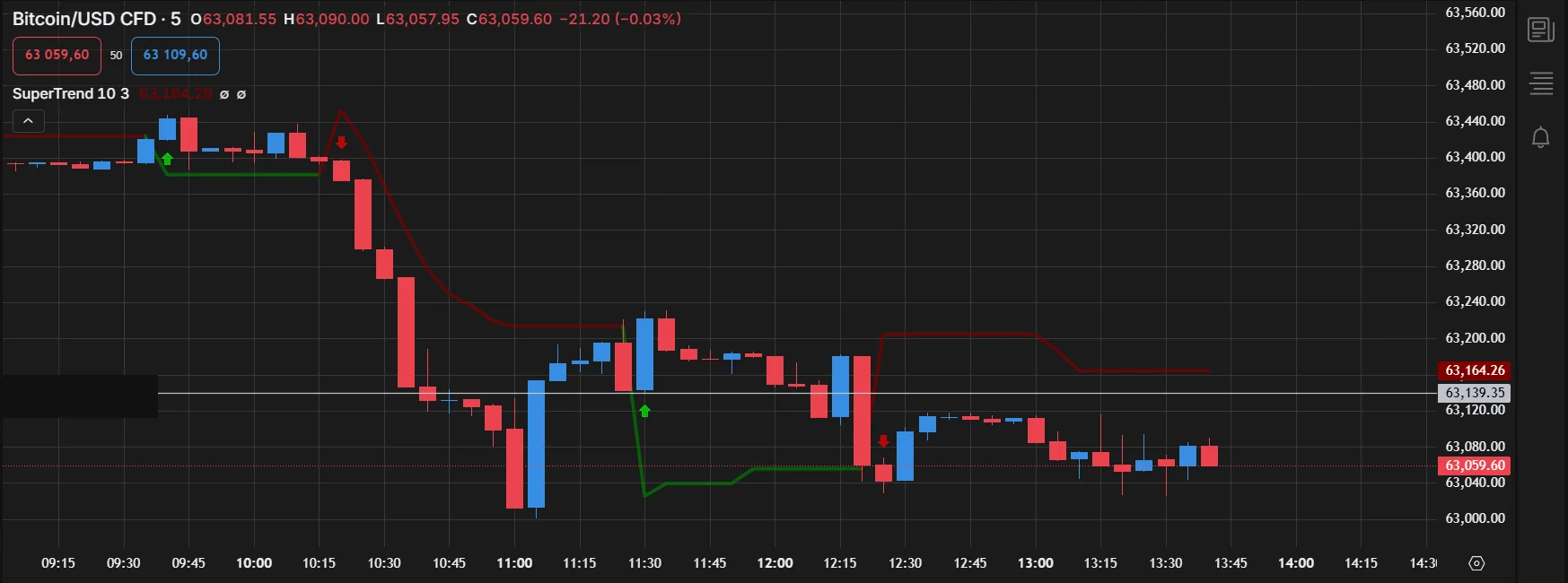
Bitcoin CFD chart used during a very small execution test
Execution test

A signal is not the same as an executed trade

Small-size tests were used to observe order handling, broker state and execution behavior. The engineering questions start after the signal: duplicate protection, order confirmation, stops, reconnects and state recovery.

This screenshot documents process only. It is not presented as a performance result.
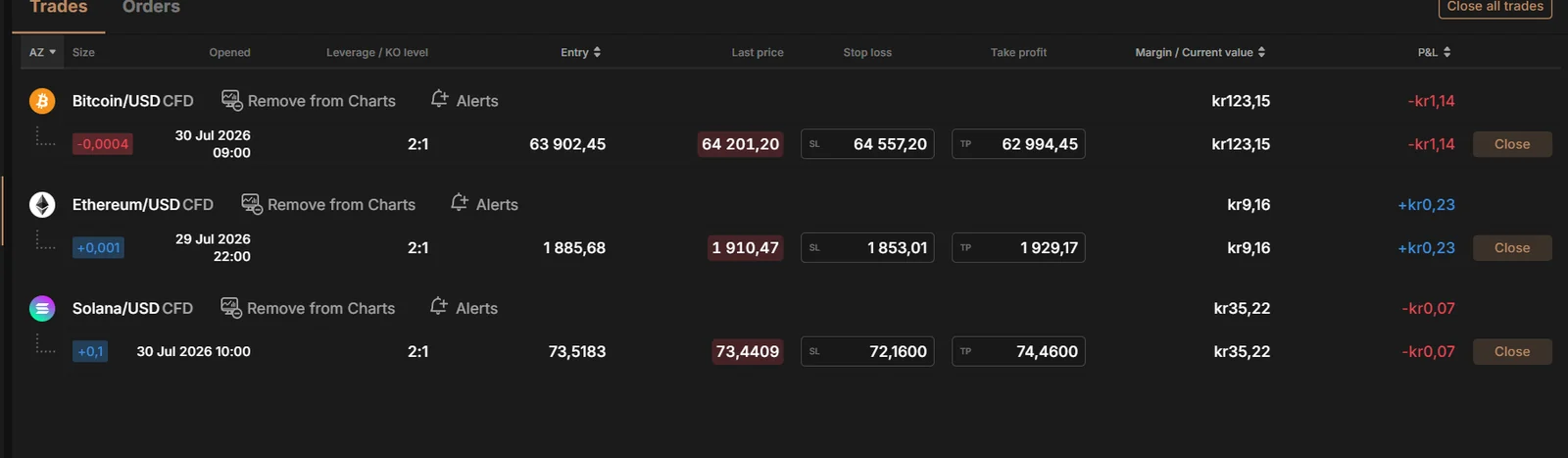
Broker trade table showing small Bitcoin Ethereum and Solana CFD test positions with stop loss and take profit
Broker state

What the broker actually showed after execution

Small BTC, ETH and SOL positions were checked directly in the broker interface, including entry, last price, stop loss, take profit and current P&L. This is the final state a bot should verify instead of assuming an API request succeeded.

Account-level figures and navigation details were cropped from the published image.
The messy part

Real failures, warnings and iterations

A useful build log should show more than the screenshots that look successful. These examples document compilation errors, weak backtests, repeated EA versions and infrastructure failures encountered during development.

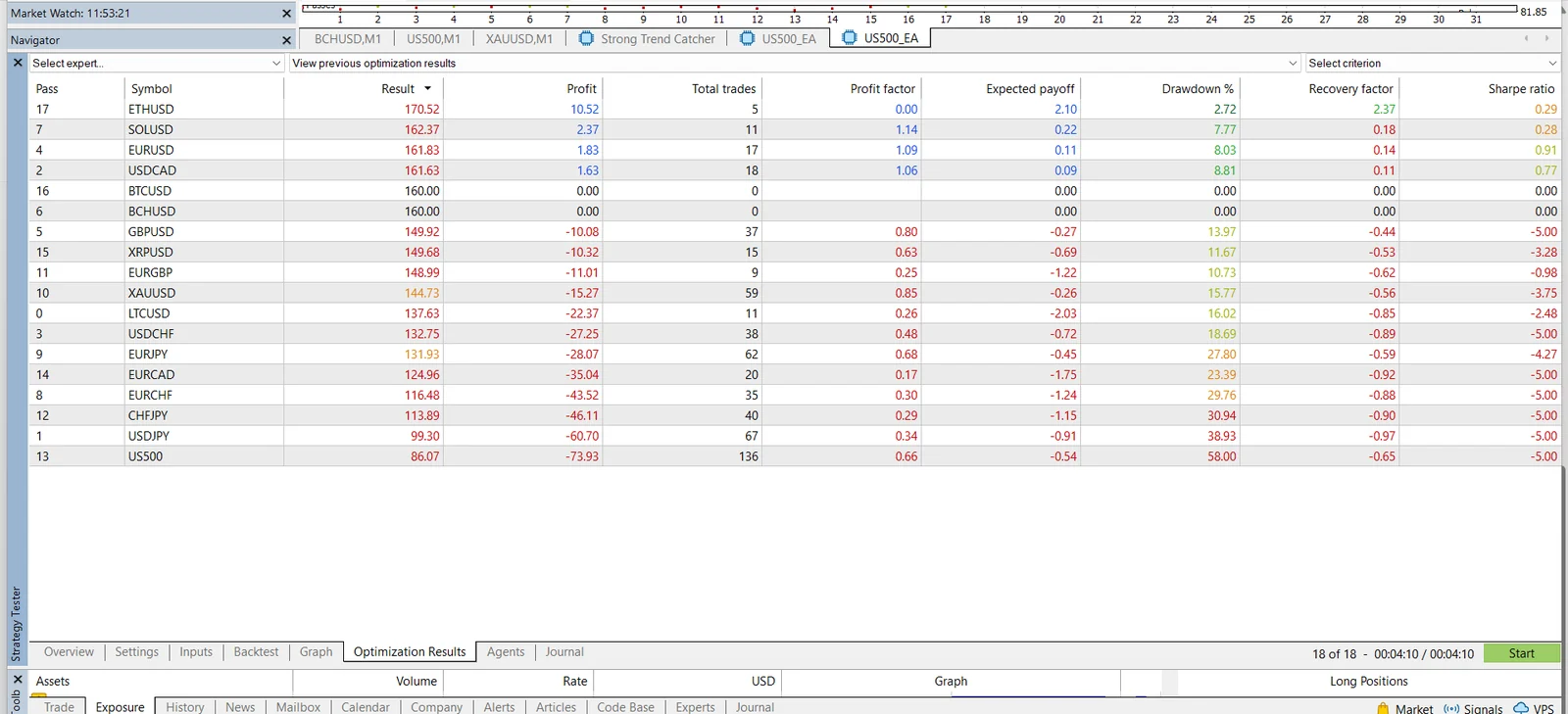
MetaTrader 5 Strategy Tester optimization results showing both profitable and losing symbols
MT5 / Backtesting

An optimization table that did not give a simple “winner”

The same Expert Advisor behaved very differently across symbols. Several rows were negative, some produced no trades, and drawdown varied sharply. That is exactly why one attractive result should not be treated as proof that a strategy generalizes.

Practical lesson: compare trade count, profit factor, drawdown and stability — not just the best profit row.
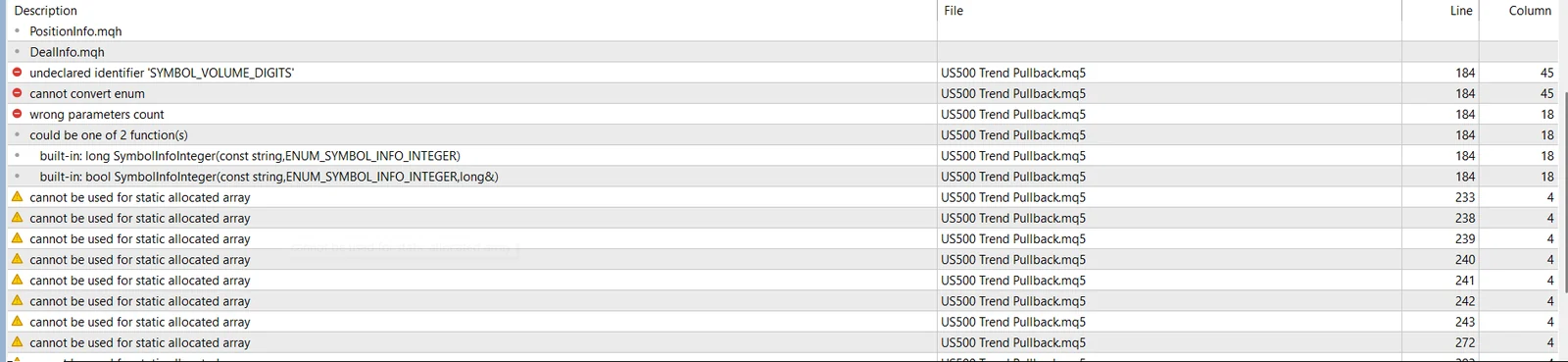
MetaEditor compiler errors and warnings from an MQL5 Expert Advisor
MQL5 / Debugging

Compiler errors are part of the process

This build hit an undeclared identifier, enum conversion and parameter-count errors, plus array warnings. AI can help explain those messages, but the code still has to compile cleanly and be tested in MetaTrader.

Practical lesson: fix compiler errors first, then warnings, then runtime behavior.
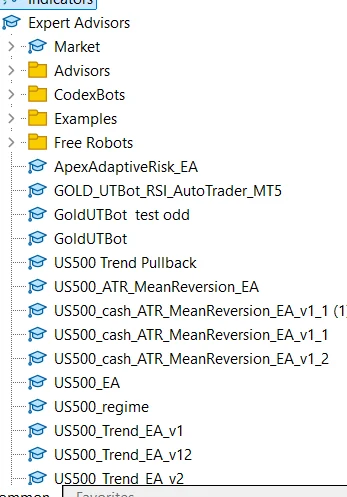
MetaTrader Expert Advisors list with multiple experimental bot versions
Iteration

One bot idea usually becomes many versions

The Expert Advisors list shows repeated versions for US500, Gold and other experiments. Versioning matters because a change that fixes one issue can introduce another.

Practical lesson: keep old working versions and document what changed.
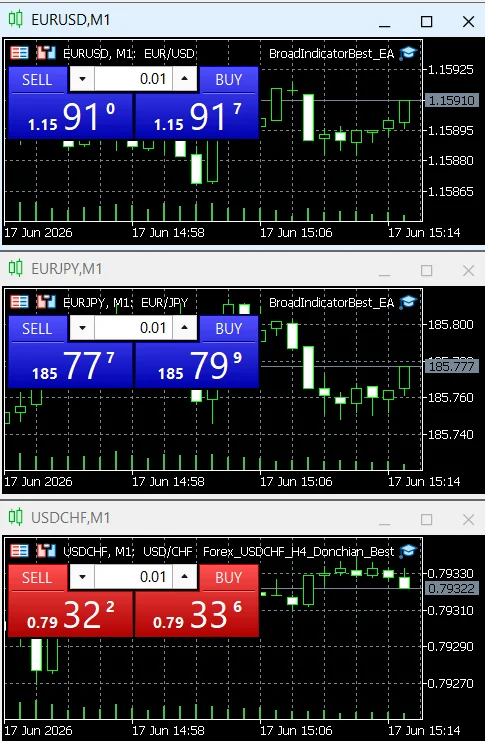
Three MetaTrader charts running different Expert Advisors at small 0.01 volume
MT5 / Small tests

Different EAs tested side by side at tiny size

Several charts were used to observe how different Expert Advisors behaved on different currency pairs. Small sizing makes debugging execution logic less expensive than jumping straight to meaningful exposure.

This shows a test setup, not a recommendation to trade these instruments.
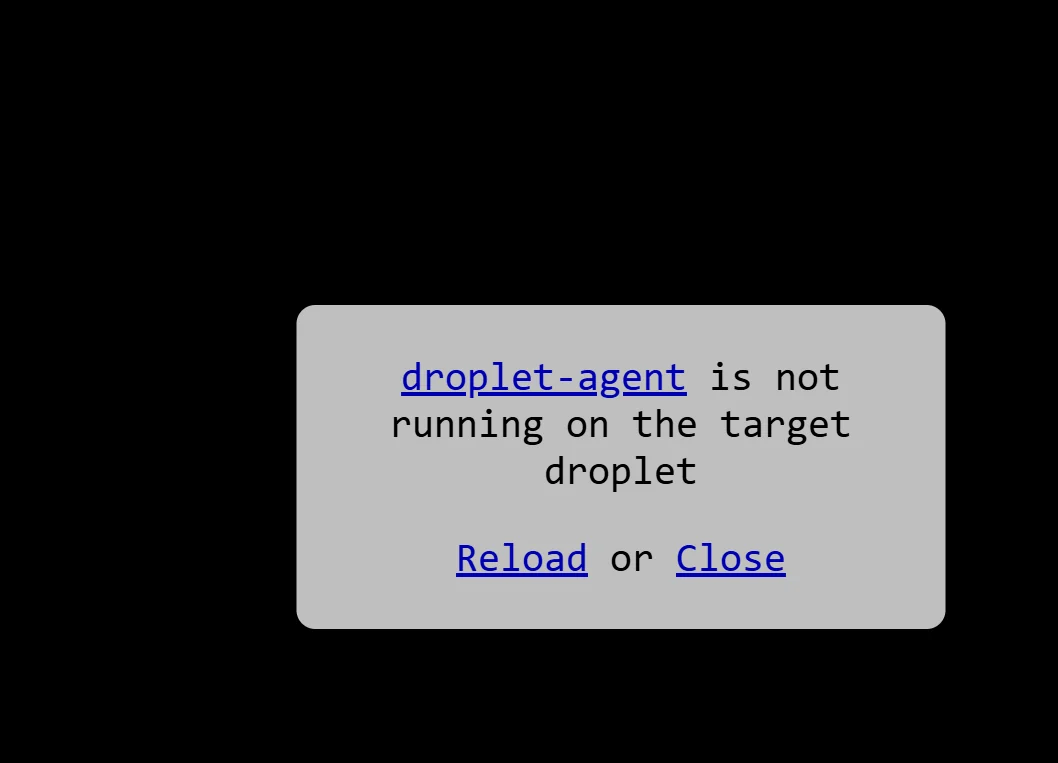
DigitalOcean web console error saying the droplet agent is not running
VPS failure

The web console itself can fail

At one point the DigitalOcean console reported that the droplet agent was not running. A trading service can be perfectly designed and still become unreachable because the surrounding infrastructure has a problem.

The droplet identifier was removed from the published screenshot.
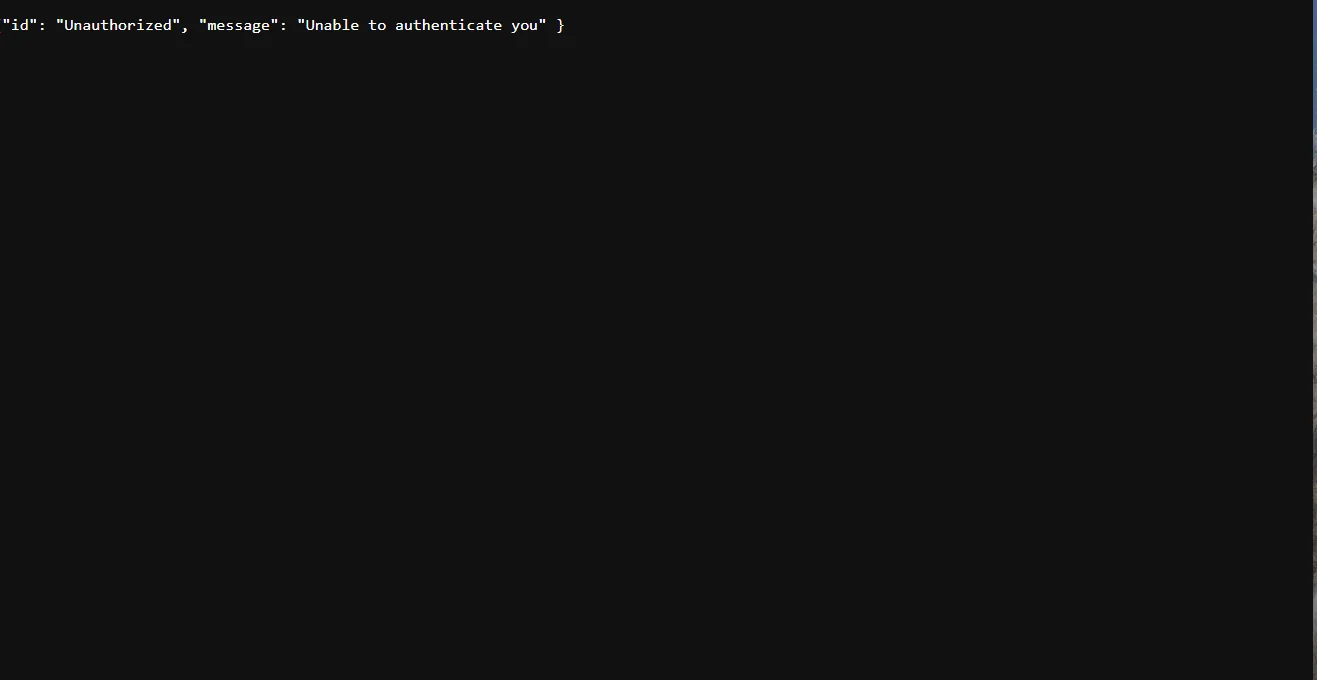
Terminal output showing an Unauthorized unable to authenticate error
Authentication failure

“Unable to authenticate you” is a real bot-building problem

Authentication failures can come from expired sessions, wrong credentials, environment mismatches or incorrect request handling. The correct response is to diagnose the cause — not loop retries indefinitely.

Browser and droplet-identifying details were cropped before publication.
What changed our approach

Failures were often more useful than a clean demo.

Signals looked correct, but execution could still fail.

Broker-side validation, minimum size, market state and request/confirmation differences had to be handled separately from strategy logic.

Backtests were not enough.

Data gaps, spread, slippage, stale prices and different live timing changed how a strategy behaved outside a historical test.

Long-running bots needed operational engineering.

systemd services, logs, health checks, state databases, safe restarts and audit scripts became as important as indicator logic.

AI worked best when the task was constrained.

Specific requirements, complete files, logs and expected behavior produced better results than asking a model to “make a profitable bot.”

How this affects the guides

The site is written around repeatable engineering habits.

  • Separate strategy logic from broker-specific code.
  • Use state and idempotency to stop duplicate actions.
  • Log decisions, not secrets.
  • Test with demo/paper or very small scale before increasing risk.
  • Verify final broker state after timeouts and retries.
  • Keep evidence from failed tests instead of deleting it.
No performance claim: Screenshots, logs and code artifacts are included to show that the technical workflows were actually tested. They do not establish that a trading strategy is profitable, suitable for another person, or safe to run with meaningful capital.